

 ATOMY Corp.
 CH. ATOMY
 Atomy Ticket
 AT.G
AT.G
 MASSTIGE TIMES
Notice
[GENERAL NOTICE] How Atomy app install
Views4,092
Registration date06-10-2024
How Atomy app install
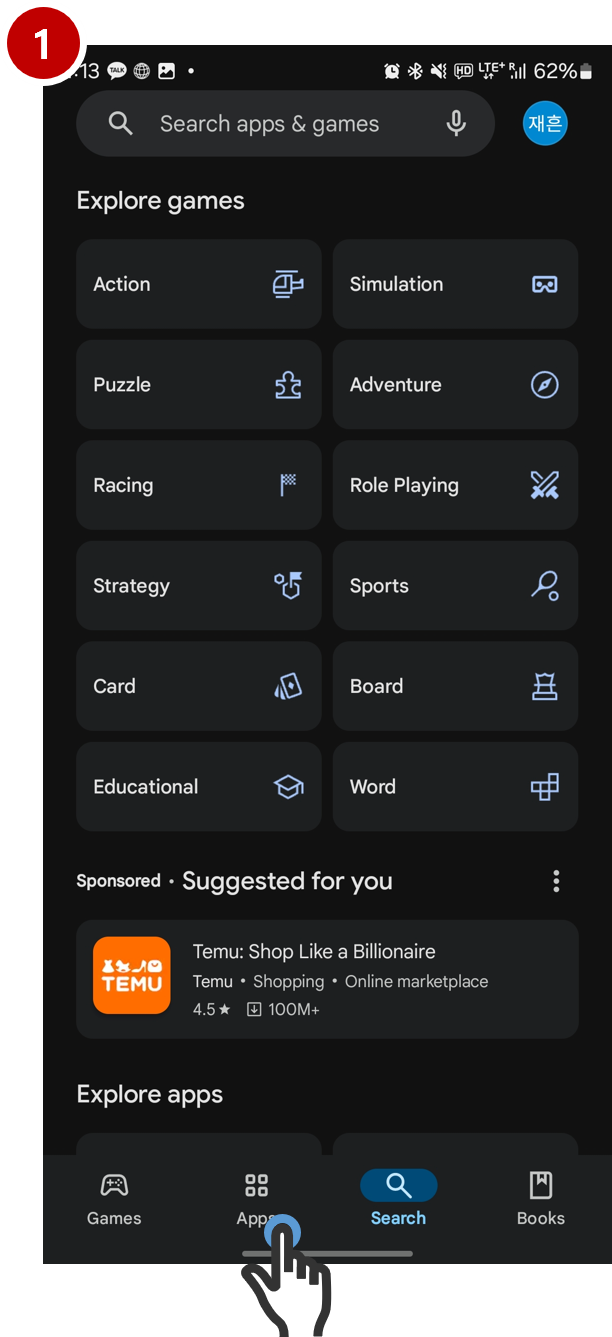
1. At App store (AOS – Paly Store, IOS – App Store) Search ->input “atomy”
1. At App store (AOS – Paly Store, IOS – App Store) Search ->input “atomy”
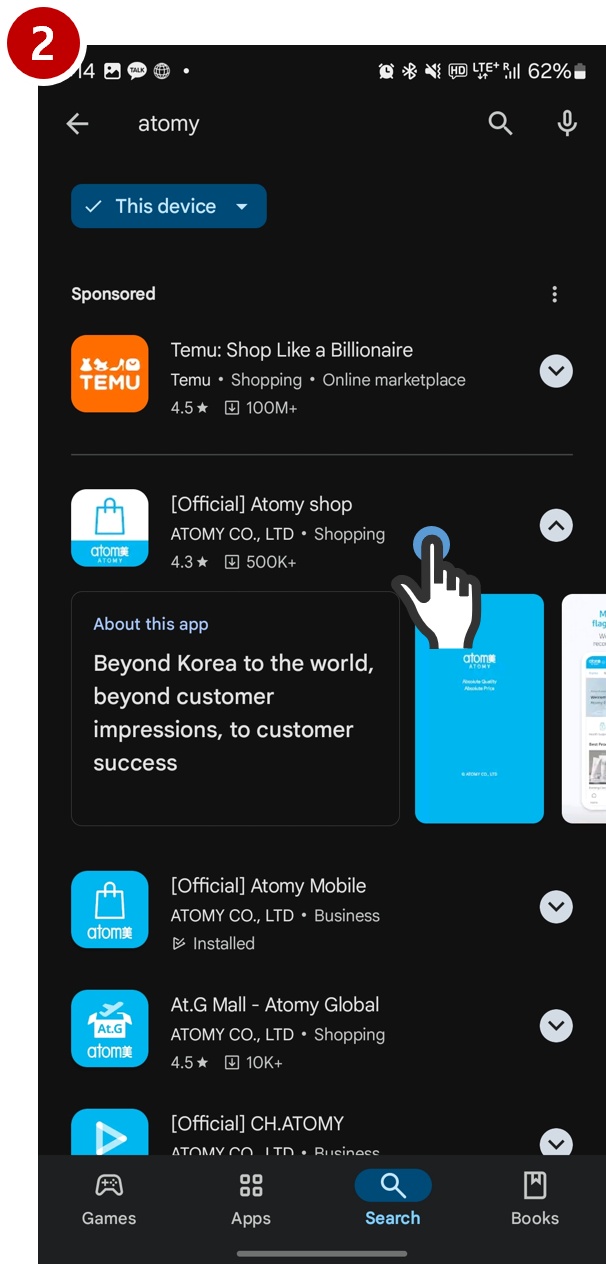
2. From the search results tab “[Official] Atomy shop”
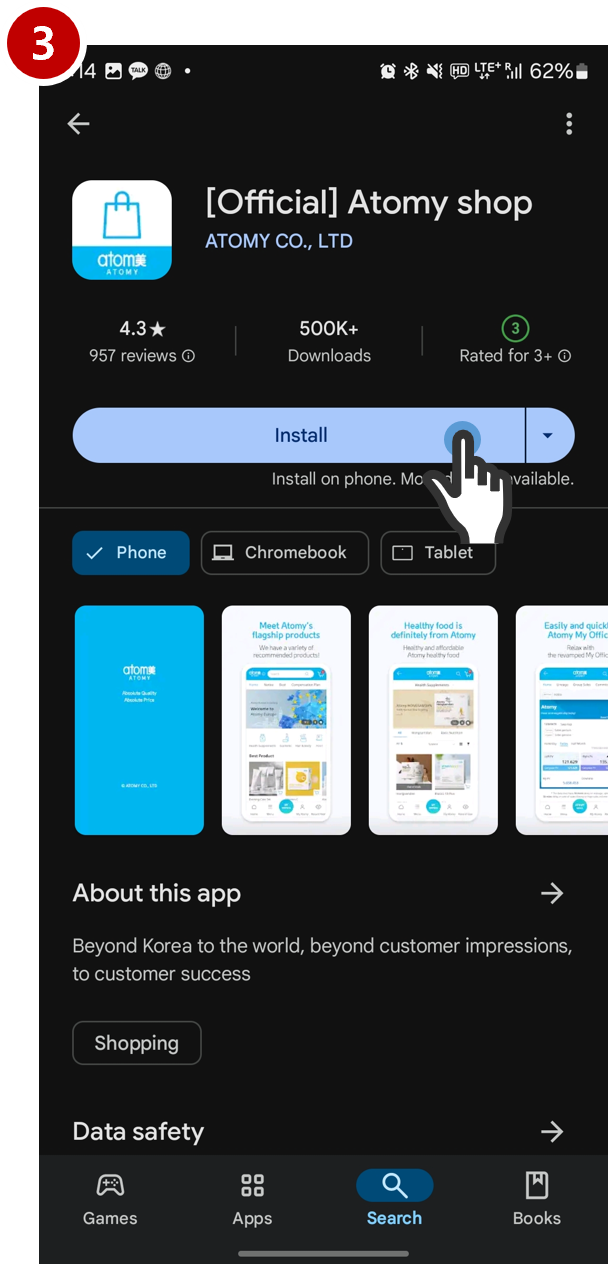
3. At “Install” button, tap and install app
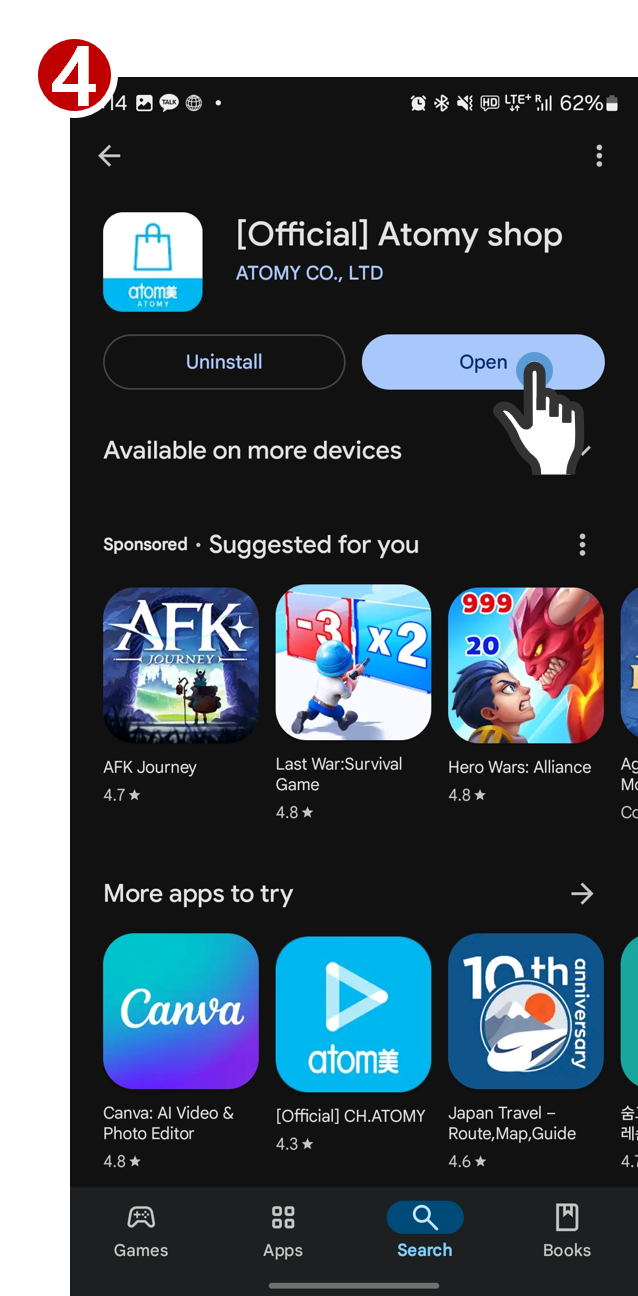
4. Once the installation is complete, tap the "Open" button and the atomy store app will be activated.
Next
[GENERAL NOTICE] Atomy PC, APP change Language Settings
06-10-2024
Previous
[ANNOUNCEMENT] ATOMY NEW MEMBER ORIENTATION - 11 MAY 2026
27-04-2026
 Order / Delivery
 Quick Order
 Center Map